Elementary RTI Schedule Examples: WIN Blocks, Rotations and a Specialist’s Day
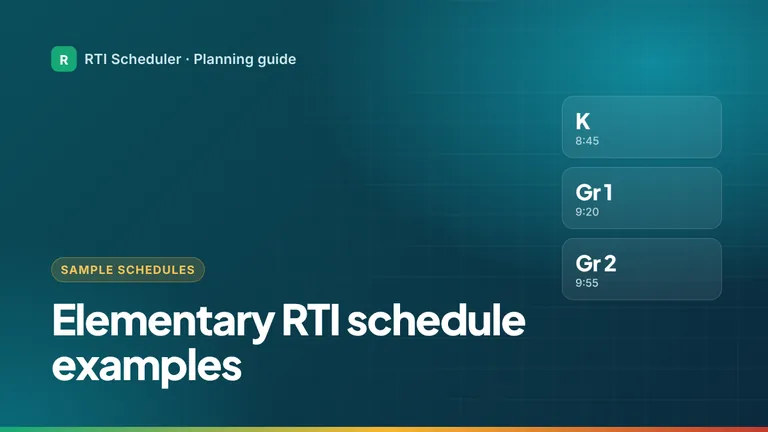
Three elementary RTI schedule examples: a staggered WIN block by grade, a small-group rotation in the literacy block, and one interventionist’s full day.


A workable RTI intervention schedule answers three questions for every week: when each support session happens, what has to be ready beforehand, and what happens afterward. This guide walks through building one from scratch, in the order that avoids the most common problems, and finishes with a complete sample week.
A schedule turns decisions into times; it should not be where decisions get made. Before you plan, confirm with your school or MTSS team:
Keep the group rosters and the reasons for each decision in your school’s approved system. Your schedule only needs general labels like “T2 – Reading group A”.
Your team sets the exact numbers, but it helps to know what the research-based guidance looks like before you start placing blocks. The IRIS Center at Vanderbilt University describes typical Tier 2 intervention like this:
| Factor | Typical Tier 2 range |
|---|---|
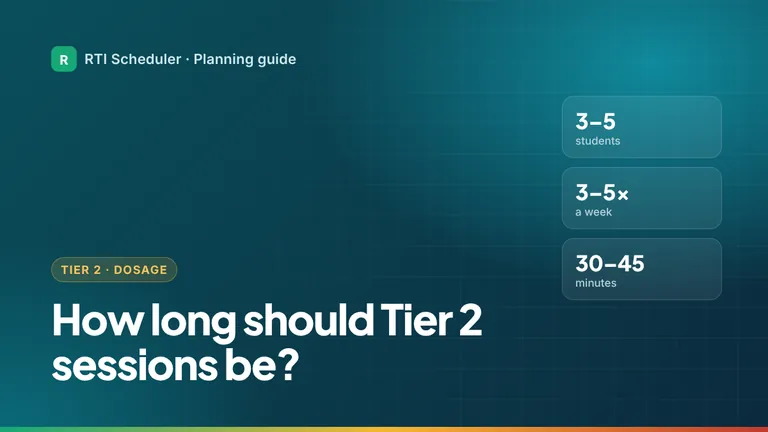
| Group size | 3 to 5 students |
| Frequency | 3 to 5 sessions a week, depending on age |
| Session length | 30 to 45 minutes (shorter for the youngest students) |
| How long it runs | Often 10 to 12 weeks, with a range of 10 to 20 |
Tier 3 support is more intensive than that: smaller groups or one-on-one, more often, or for longer. That’s why it goes on the schedule first. If your plan calls for four 30-minute sessions a week for one group, that’s two hours of your week before you add a single minute of prep or travel, so it’s worth doing the math early.
Source: IRIS Center, Effective Instruction at Tier 2.
Start with what you can’t move: core instruction blocks, lunch, recess, specials, your own duties and standing meetings. Many schools set aside a dedicated intervention block (sometimes called WIN, “What I Need”) precisely so support doesn’t compete with core teaching. If you move between classrooms, note each teacher’s core times too.
What remains is your available time. It’s almost always less than you expected, which is useful to know before you commit to anything.
Add each agreed session as its own dated task, for the next two to four weeks. Place the most intensive support first, because it’s usually the hardest to fit and the most important to protect. Then fit the remaining groups around it.
Two practical rules help:
Look at every pair of back-to-back sessions and ask how long it really takes to finish, pack away, walk, collect students and start again. Build that time in. A schedule that ignores transitions starts running late by the second session and never recovers. Our guide to transition time between sessions explains how to estimate it.
For each session, list what must be ready: passages, word cards, manipulatives, copies, a booked space. Add those as their own tasks, dated a day or two before the session. Preparation that only lives in your head is the first thing to disappear on a busy day. See task dependencies for ordering prep correctly.
Mark sessions and essential prep as High. Use Medium for meetings and flexible prep, and Low for organizing and admin that can move. A tier label doesn’t automatically make something High; decide based on what happens if it slips.
After sessions there is usually something to do: record delivery in the approved system, reset materials, update a colleague. Add one follow-up block per day or per session, and a short review at the end of the week. The Friday planning review keeps next week’s schedule accurate.
Many elementary schools run a schoolwide WIN (“What I Need”) block, and many middle and high schools use a flex period or advisory slot for the same purpose: a protected time when students go to intervention, extension or enrichment without missing core classes. If your school has one, it changes how you plan:
RTI Scheduler doesn’t enroll students in flex periods. That’s what your school’s scheduling platform is for. It helps you plan your own part of the block: what you’re teaching, where, and what needs to be ready.
Here is one interventionist’s week. Times and frequencies are only an example; yours should follow your team’s plan.
| Day | Time | Task | Priority |
|---|---|---|---|
| Mon | 7:45 AM | Prep – copy fluency passages for the week | High |
| Mon | 9:30 AM | T2 – Reading fluency group A (Room 12) | High |
| Mon | 10:10 AM | T3 – Phonics session (Library table) | High |
| Mon | 1:15 PM | T2 – Math facts group (Room 8) | High |
| Tue | 3:30 PM | Prep – sort manipulatives for fractions group | Medium |
| Wed | 9:30 AM | T2 – Reading fluency group A (Room 12) | High |
| Wed | 2:45 PM | MTSS team meeting – bring agenda items | Medium |
| Thu | 12:30 PM | Follow-up – action items from team meeting | Medium |
| Fri | 2:30 PM | Weekly review – log delivery, plan next week | Low |
Want a blank version to fill in? Use the free weekly intervention schedule template, then see how to pick dates and times for each task and prepare reading groups ahead of time.
When you can, yes. A consistent time helps students settle into the routine and makes it easier for classroom teachers to plan around you. Use a different slot only when the master schedule forces it.
Count the minutes before you promise anything. If agreed sessions, prep and transitions don’t fit, bring the numbers to your MTSS team. It’s better to run fewer sessions at full length than more sessions that keep getting cut short.
You can. The method on this page works on paper, in a spreadsheet or in RTI Scheduler. A dedicated planner just makes it faster to see today’s sessions and move one when plans change.
Further reading: the National Center on Intensive Intervention’s guidance on finding time for intensive intervention covers school-level scheduling in more depth.
Want to see more finished schedules? Look at these elementary RTI schedule examples, or read how schools find time for intervention at the building level.
Add the sessions and prep tasks from this guide to the free RTI Scheduler. No signup needed to start.
Start SchedulingThree elementary RTI schedule examples: a staggered WIN block by grade, a small-group rotation in the literacy block, and one interventionist’s full day.
Tier 2 groups usually have 3 to 5 students and meet 3 to 5 times a week for 30 to 45 minutes over 10 to 12 weeks. How to turn that into a schedule.
Free printable weekly intervention schedule template for teachers and interventionists, plus a simple method to plan sessions, prep and follow-up.