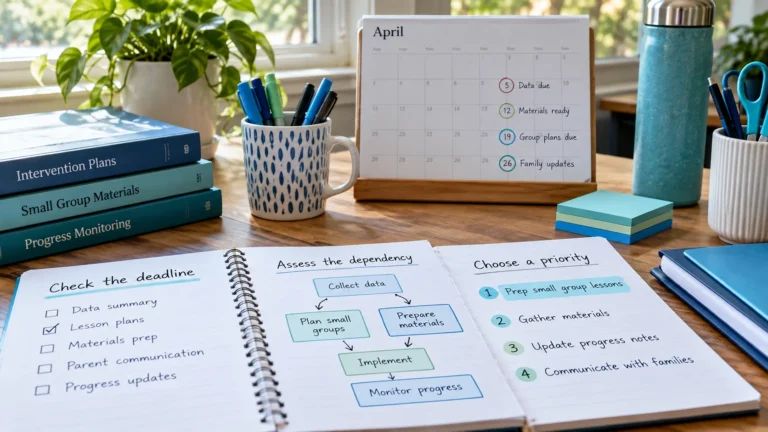
How to Prioritize Intervention Preparation Tasks
A simple way to decide which intervention prep tasks are High, Medium or Low priority, so materials and follow-ups are ready before each session.

Some intervention tasks can only happen after others. You can’t run a session without materials, you can’t copy materials you haven’t chosen, and you can’t follow up on a meeting that hasn’t happened. These links are called dependencies. Noticing them, and scheduling in the right order, is what keeps one delay from knocking over the rest of your week.
A dependency means Task B needs Task A to be finished first. For intervention work, the most common chains look like this:
For each session on your schedule, ask:
Write each answer as its own task. The question “what does this need?” is usually enough to reveal every hidden step.
RTI Scheduler doesn’t link tasks together, so moving one task won’t move the others. That keeps things predictable, but it means you check the chain yourself. When a session moves:
| Task | Depends on | Scheduled | Priority |
|---|---|---|---|
| Prep – choose passages for Wed group A | – | Mon 3:30 PM | High |
| Prep – copy passages for Wed group A | Choosing | Tue 7:45 AM | High |
| T2 – Reading fluency group A (Room 12) | Copies | Wed 9:30 AM | High |
| Follow-up – log delivery in school system | Session | Wed 12:30 PM | Medium |
Long chains are fragile. Where you can, prepare in batches (for example, copy everything for the week in one task), so several sessions depend on one well-protected step instead of many small ones.
Dependencies are easiest to see in a full example. Here are three chains interventionists run every week, written backwards from the moment that matters.
Notice that the root task is on Monday, three days before the session. That slack is what lets you survive a broken copier on Tuesday.
Paste this into your notes and fill it in for any session that keeps going wrong:
| Step | Task name | Needs | Latest safe date |
|---|---|---|---|
| 1 | Prep – choose … | Nothing | 3 school days before |
| 2 | Prep – make or copy … | Step 1 | 2 school days before |
| 3 | Prep – set up … | Step 2 | Morning of, or day before |
| 4 | Session … | Step 3 | Planned time |
| 5 | Follow-up – log … | Step 4 | Same day |
No. Only the steps a session can’t run without, and the first step in a chain. A “nice to have” extra activity is Medium or Low. See how to prioritize preparation tasks.
Repeat the session itself weekly, then repeat the prep that’s the same each week too, such as “Prep – copy passages for group A” the day before. Prep that changes from week to week is better added during your Friday review.
Related: splitting preparation tasks · manual conflict check · choosing dates and times
Add the sessions and prep tasks from this guide to the free RTI Scheduler. No signup needed to start.
Start SchedulingA simple way to decide which intervention prep tasks are High, Medium or Low priority, so materials and follow-ups are ready before each session.
How to choose sensible dates and local times for intervention sessions and prep tasks, plus what to check when a schedule change moves a session.
Free printable weekly intervention schedule template for teachers and interventionists, plus a simple method to plan sessions, prep and follow-up.